WordPress Plugin Vulnerabilities: A Clinic Patch Rule
Most WordPress compromises trace back to an outdated plugin, not the core software. Here is what the Australian Signals Directorate’s patching guidance means for a clinic booking site, and what the Privacy Act says when a patch gap turns into a breach.
 Vikas Thakur Founder, Perth 13 min read Fact checked
Key takeaways
- WordPress powers a large share of clinic websites, and industry vulnerability trackers consistently attribute the overwhelming majority of WordPress security disclosures to plugins, not WordPress core
- The Australian Signals Directorate’s Essential Eight groups patching under Patch applications, one of four strategies aimed at preventing malware delivery and execution
- Health service providers are Australian Privacy Principle entities under the Privacy Act 1988 regardless of turnover, so the small business exemption that shields many other websites does not apply
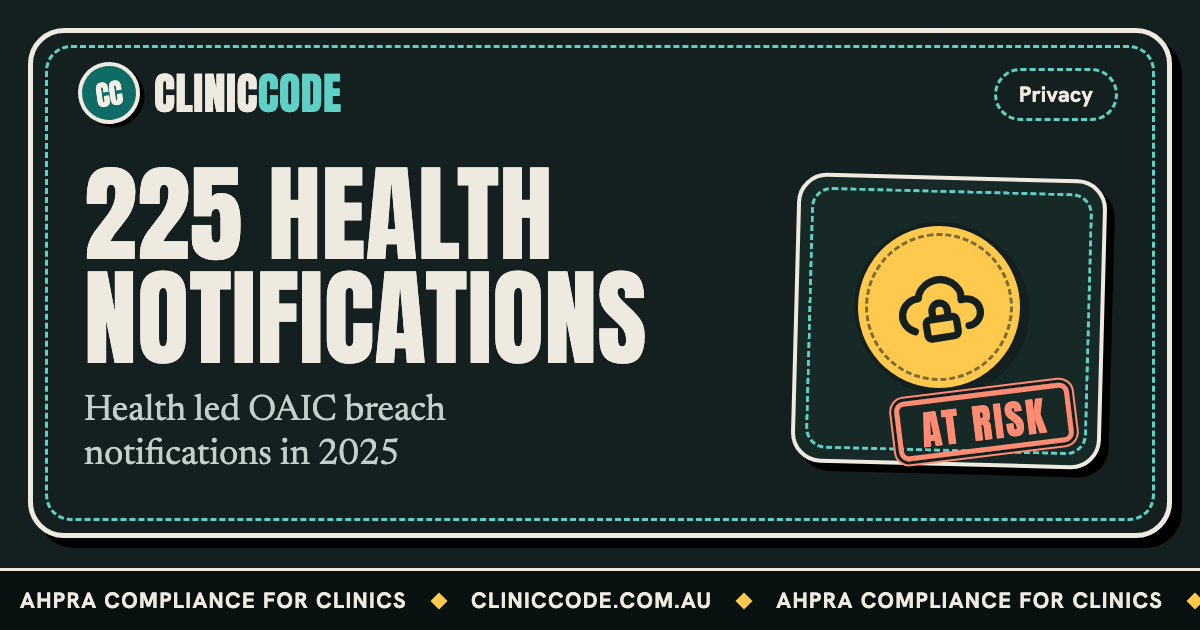
- OAIC’s 2025 Notifiable Data Breaches report recorded 1,205 notifications, with 225 from the health sector and 716 attributed to malicious or criminal attack
- A plugin that has gone 12 months or more without an update is a vendor-support signal, not just a maintenance oversight, and the safer response is removal, not deferral
- Staging before production is the single highest-leverage habit for a small clinic team, because it turns “the update might break the booking calendar” from a reason to defer into a five-minute check
- No published Australian enforcement action against a clinic for a WordPress plugin vulnerability specifically was found in this research pass, and this article says so rather than implying one exists
WordPress runs a meaningful share of clinic websites, and in nearly every one of them, the plugins folder is where the risk actually lives. Not the theme. Not WordPress core. The plugins.
As at November 2026, the Australian Signals Directorate’s Essential Eight names patching applications as one of its eight baseline mitigation strategies, and treats internet-facing services, exactly what a public clinic booking site is, as the highest-priority patching target. This matters for a clinic because the software choice is rarely the exposure. The update habit is.
This guide covers what the Essential Eight’s patching guidance actually says, what that means for a WordPress build specifically, and what happens under the Privacy Act when a patch gap turns into an actual breach.
What the Essential Eight Says About Patching
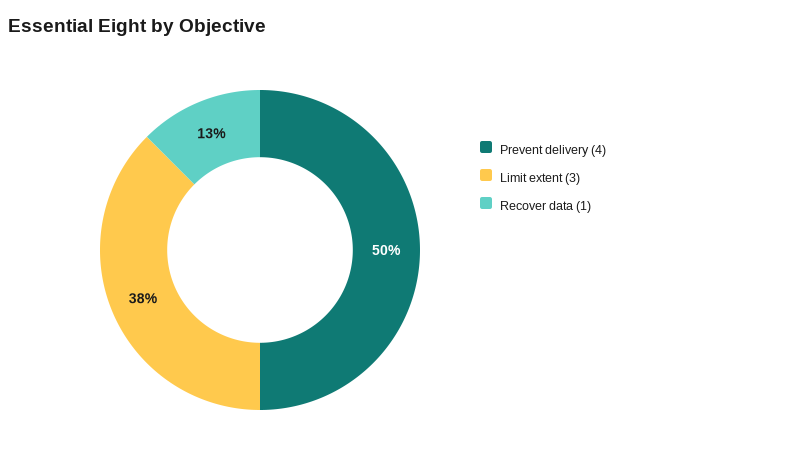
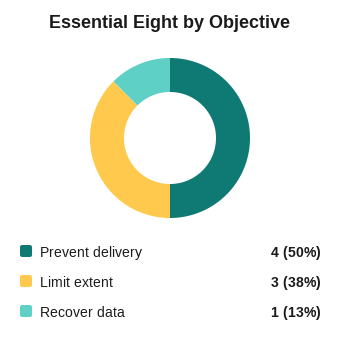
The Essential Eight, published and maintained by the Australian Signals Directorate (ASD), groups its eight mitigation strategies under three objectives: preventing malware delivery and execution, limiting the extent of incidents, and recovering data and system availability. Patch applications sits in the first group, alongside application control, Microsoft Office macro configuration and user application hardening.
Two things the framework is explicit about, independent of the exact timeframe figures published on a given date: patching priority is set by exposure and exploit availability rather than a single flat schedule, and internet-facing services sit at the sharp end of that priority because they are reachable by anyone, not just staff on a managed network. A public WordPress site with a booking form is an internet-facing service by that definition. The second point, easy to miss, is that the framework’s expectation extends beyond patching to running only vendor-supported software in the first place. A plugin the developer has stopped updating cannot be brought into a patched state no matter how disciplined the site owner is, which is why “unsupported” and “unpatched” need different responses.
The Essential Eight is not law. It is ASD guidance, mandatory only for non-corporate Commonwealth entities under the Protective Security Policy Framework. A private cosmetic clinic or dental practice is not covered by that mandate. What it is, though, is the clearest published Australian articulation of what disciplined patching looks like, which is exactly why it is worth building a plugin policy around even without a legal requirement to do so.
Takeaway: The Essential Eight treats patching as risk-tiered, not scheduled, and an internet-facing WordPress site sits in the highest tier by definition.
What That Means for Your WordPress Build
Translating “patch based on exposure” into an actual WordPress admin routine means a handful of concrete changes.
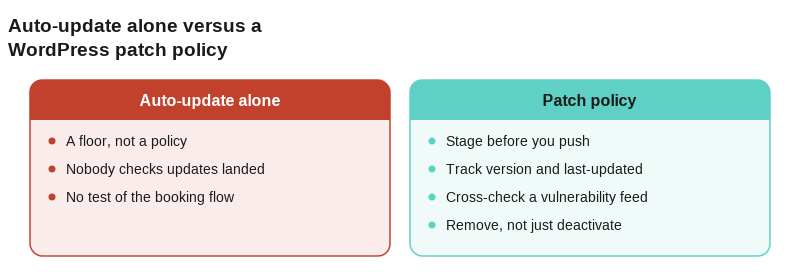
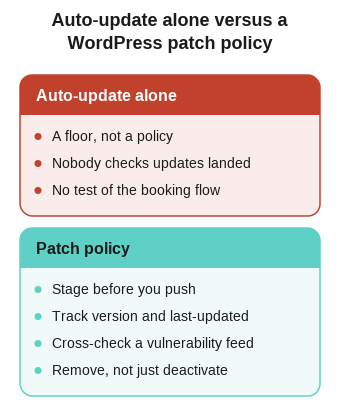
Separate the update setting from the update habit. WordPress core supports automatic updates via the WP_AUTO_UPDATE_CORE constant in wp-config.php, and individual plugins can be set to auto-update from the Plugins screen in wp-admin. Auto-update is not a substitute for review; it is a floor, not a policy. A clinic that relies on auto-update alone still needs someone checking that updates actually landed and that nothing broke.
Stage before you push. Any plugin touching bookings, forms or payments should be updated on a staging copy of the site first, with the booking flow tested end to end, before the same update goes to production. This is the single change that fixes the most common reason clinics defer updates: fear of breaking something patients rely on.
Track version and last-updated date per plugin, not just “installed or not.” The Installed Plugins screen in wp-admin shows the version and, on the WordPress.org repository listing for each plugin, a “last updated” date. A plugin two major WordPress releases behind its last confirmed compatibility check is a vendor-support risk even if no specific vulnerability has been published against it yet.
Restrict who can install and activate plugins. WordPress role capabilities can install plugins only from the Administrator role by default; audit that no booking-desk or content-editor account has been quietly upgraded to Administrator over time, since that is how a compromised low-privilege account becomes a plugin-installation vector.
Cross-check your plugin list against a public vulnerability feed. Services like WPScan and Patchstack publish disclosed WordPress plugin vulnerabilities by slug and version range. A five-minute check against either, run monthly, catches disclosures faster than waiting for the plugin’s own changelog notification.
Remove, do not just deactivate, anything no longer part of the live site. A deactivated plugin’s files still sit in wp-content/plugins/, and a deactivated-but-vulnerable plugin can still be reachable directly if its own PHP files don’t check for WordPress context before executing.
Takeaway: A WordPress patch policy is a staging habit plus a version audit, not a single settings toggle.
Plugin Risk Tiers: A Decision Matrix
Not every plugin carries the same risk, and treating them identically either over-invests effort in a gallery plugin or under-invests it in a booking form.
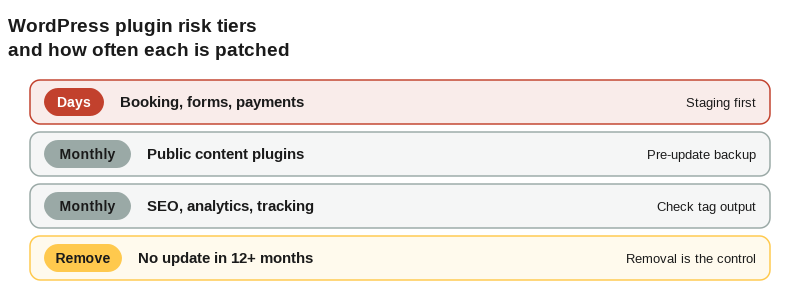
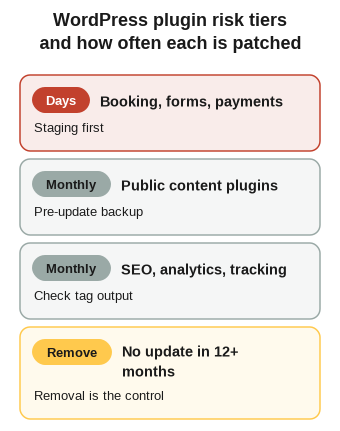
| Risk tier | What it touches | Patch cadence | Compensating control |
|---|---|---|---|
| Booking, forms, payments | Patient contact details, appointment data, payment references | Within days of release, staging first | Web application firewall, activity log on admin actions |
| Public content (gallery, testimonials display) | Marketing content only, no patient data | Monthly batch with core updates | Pre-update backup |
| SEO, analytics, tracking | Tracking configuration, no direct patient data | Monthly, review after major version bumps | Check tag output after update for unexpected behaviour |
| Abandoned or unsupported (no update in 12+ months) | Unknown, cannot be assessed against current standards | Remove or replace immediately | None available; removal is the control |
Takeaway: The tier a plugin sits in should set its patch cadence, and “abandoned” is its own tier, not a slower version of “low priority.”
Why a Patch Gap Becomes a Privacy Problem
A health service provider is an APP entity under the Privacy Act 1988 regardless of annual turnover; the small business exemption that shields many other websites under $3 million in turnover does not apply to a business that provides a health service and holds health information. That single fact is what turns a technical patching lapse into a privacy question rather than just an IT one.
Australian Privacy Principle 11 requires an entity to take reasonable steps to protect personal information it holds from misuse, interference, loss, unauthorised access, modification or disclosure. A published, unpatched plugin vulnerability with a known fix available is a difficult position to defend as “reasonable steps” if it is later exploited. Where a breach involves personal information and is likely to result in serious harm, the Notifiable Data Breaches scheme requires the entity to notify affected individuals and the OAIC.
OAIC’s most recent annual figures put this in context. The 2025 Notifiable Data Breaches report recorded 1,205 notifications across all sectors, 225 of which came from the health sector, and 716 of which were attributed to malicious or criminal attack rather than human error or a system fault. A vulnerable WordPress plugin sits squarely inside that malicious-attack category; it is one of the most common initial access routes tracked across the broader web, not a health-sector-specific mechanism.
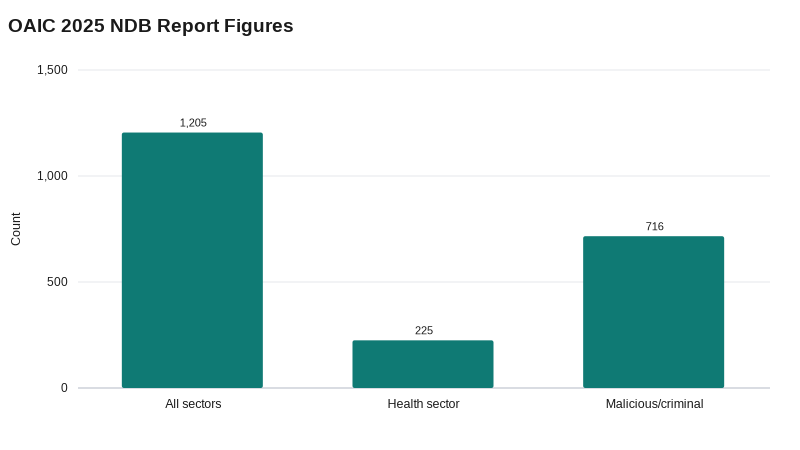
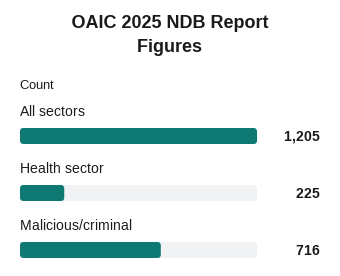
The standing caveat applies here: the regulator says APP 11 requires reasonable steps, and an unpatched, publicly disclosed plugin vulnerability is a hard position to call reasonable; whether that applies to your specific circumstances is a question for your medical defence organisation or your lawyer.
Takeaway: Health providers carry the Privacy Act obligation regardless of size, and a plugin vulnerability is exactly the kind of gap APP 11’s “reasonable steps” test is built to catch.
A Worked Example: Two Clinics, Two Plugin Risks
Cosmetic clinic. A Perth cosmetic clinic runs its booking calendar through a third-party WordPress plugin. Eight months earlier, an update to that plugin had broken a custom CSS override on the booking page, so a staff member switched auto-update off “until someone had time to check it” and the site moved on. Nobody circled back. A vulnerability disclosed against that plugin four months later, patched by the developer within a week of disclosure, sat unpatched on the clinic’s live site for the following three months because the setting that had been switched off to fix a cosmetic layout issue was never switched back on.
Cosmetic dentistry. A dental practice’s patient intake plugin captures medical history responses, allergies, current medications, prior procedures, directly into custom fields in the WordPress database, rather than syncing them out to the practice management system. The plugin’s developer stopped publishing updates three years ago. The plugin still runs, still collects patient medical history on every new-patient form submission, and every one of those responses sits in wp_postmeta on a piece of software with no current vendor support at all.
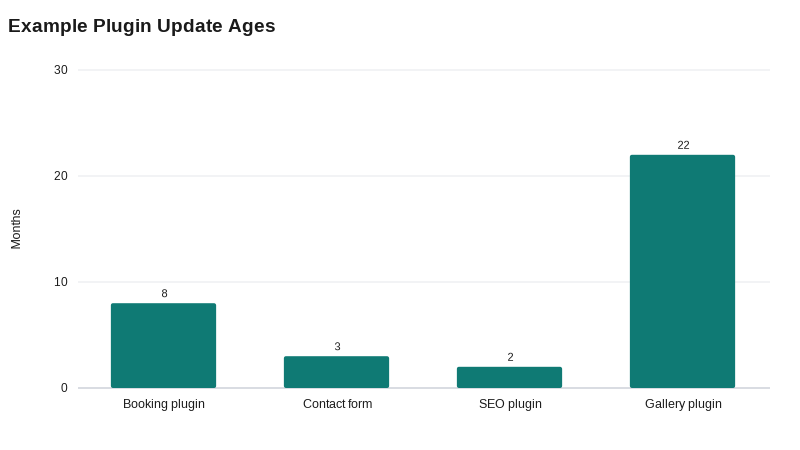
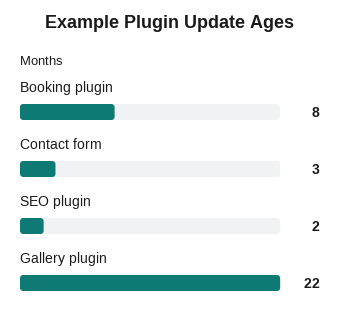
These figures are an illustrative example built for this article, not a measured audit result. The pattern they illustrate, a single plugin quietly falling out of the update cycle for an unrelated reason and staying there, is the one ClinicCode sees repeatedly.
Takeaway: The plugin most likely to be neglected is the one that broke something minor once, not the one nobody trusts.
What to Check on Your Own Site
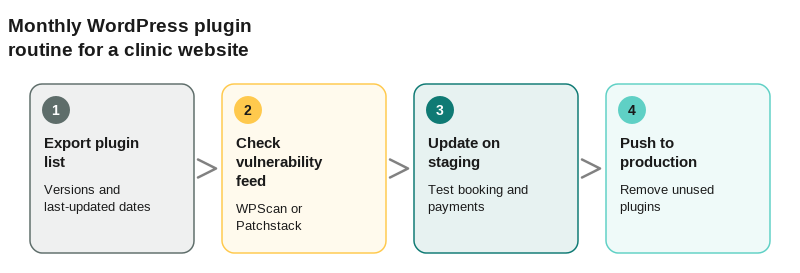
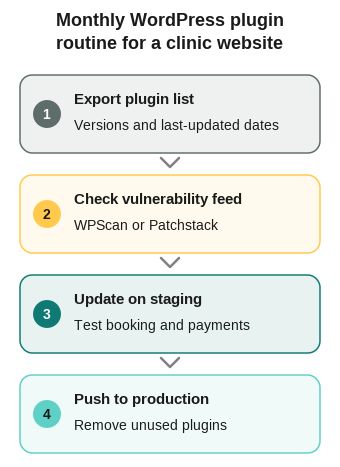
- Export a full plugin list with installed version numbers and each plugin’s public “last updated” date from its WordPress.org listing.
- Cross-check every plugin slug and version against a public vulnerability feed such as WPScan or Patchstack before assuming a plugin with no obvious problems is actually clean.
- Flag any plugin with no update in the last 12 months as an immediate review, not a routine one.
- Confirm which WordPress accounts hold the Administrator role, and remove plugin-install capability from any booking-desk or content-editor account that does not need it.
- Check whether any patient-facing form or booking plugin writes submissions directly into the WordPress database, and if so, where that data is backed up and how long it is retained.
- Set a recurring monthly calendar entry to run plugin updates on staging, verify the booking and payment flow still works, then push to production.
- Remove, rather than just deactivate, any plugin that is no longer part of the live site.
The Enforcement Anchor
No published Australian enforcement action, OAIC determination or infringement notice naming a WordPress plugin vulnerability at a clinic was found in this research pass, and this article says so rather than pointing at a case that does not exist. What does exist is the broader pattern in OAIC’s own reporting: malicious or criminal attack was the leading cause of the 1,205 notifications in the 2025 Notifiable Data Breaches report, and the health sector was named among the reporting sectors. That is evidence the mechanism is live and the sector is represented, not evidence of a specific WordPress-plugin case.
Takeaway: The absence of a named case is not evidence of low risk; it is evidence that this specific failure mode has not yet produced a published Australian determination.
Where This Gets Hard
Patch discipline does not close every gap. A vulnerability disclosed with no patch yet available (a genuine zero-day window) leaves a site exposed no matter how quickly the clinic would apply a fix once one exists; a web application firewall is a compensating control here, not a substitute for the patch.
Premium plugin licences lapse silently. A plugin can show as “active” in wp-admin with its update mechanism quietly disabled because a licence key expired months earlier, and nothing in the standard admin view distinguishes that state from a plugin that is genuinely current.
Staging environments cost time and, on some hosting plans, cost money, and that real cost is the actual reason many small clinic teams skip the step rather than any lack of awareness that they should be running one. A managed WordPress host that force-applies security patches helps here, but coverage varies by host and by how widely used the specific plugin is; a niche booking plugin with a small install base may not be on a host’s own watch list at all.
Takeaway: Patch discipline reduces the exposure window; it does not remove it, and the honest version of this article says that plainly.
Status
Not in force as a legal requirement specific to WordPress or plugins. The Essential Eight is ASD guidance, current as published, mandatory only for non-corporate Commonwealth entities under the Protective Security Policy Framework. Australian Privacy Principle 11 of the Privacy Act 1988 and the Notifiable Data Breaches scheme are both in force now and apply to health service providers regardless of business size, and it is that Privacy Act obligation, not the Essential Eight itself, that creates the legal exposure discussed in this article.
Frequently Asked Questions
Is patching WordPress plugins a legal requirement for a clinic website?
No law names WordPress plugins specifically. Australian Privacy Principle 11 of the Privacy Act 1988 requires reasonable steps to protect personal information from misuse and unauthorised access, and an unpatched plugin with a known, published vulnerability is difficult to defend as reasonable. Whether a specific patch gap breaches APP 11 is a question for the OAIC or your lawyer, not something this article can answer for your site.
Does the Essential Eight apply to a private cosmetic clinic’s website?
Not as a legal mandate. The Essential Eight is Australian Signals Directorate guidance, mandatory for non-corporate Commonwealth entities under the Protective Security Policy Framework. A private clinic is not covered by that mandate, but the framework is widely used as a voluntary baseline because it is the clearest published articulation of what disciplined patching looks like.
How often should a clinic update WordPress plugins?
Patch cadence should match what the plugin touches, not run on a single fixed schedule. Plugins handling bookings, forms or payments warrant patching within days of a release; display-only plugins can run on a monthly batch; any plugin with no update in over 12 months should be flagged for replacement or removal.
Get Your Plugin Risk Checked
Sign up with ClinicCode and we’ll run your plugin list against the current vulnerability feeds, flag anything unsupported, and set up the staging habit that stops the next update from being the one you’re afraid to run.
Sources and References
- Australian Signals Directorate - Essential Eight. Checked 15 August 2026.
- Federal Register of Legislation - Privacy Act 1988 (Cth), Australian Privacy Principle 11. Checked 15 August 2026.
- OAIC - Australian Privacy Principles guidelines. Checked 15 August 2026.
- OAIC - Notifiable Data Breaches scheme. Checked 15 August 2026.
- OAIC - Data breach notifications increase to all-time high in 2025, new NDB stats. Checked 15 August 2026.
Last reviewed: 15 August 2026.
Vikas Thakur
Founder, Perth. 16 years of experience from working at TPG, iiNet and Monadelphous, now helping Australian clinics keep their websites, ads and online presence AHPRA compliant.