The Health Data You Must Never Send to Google Ads
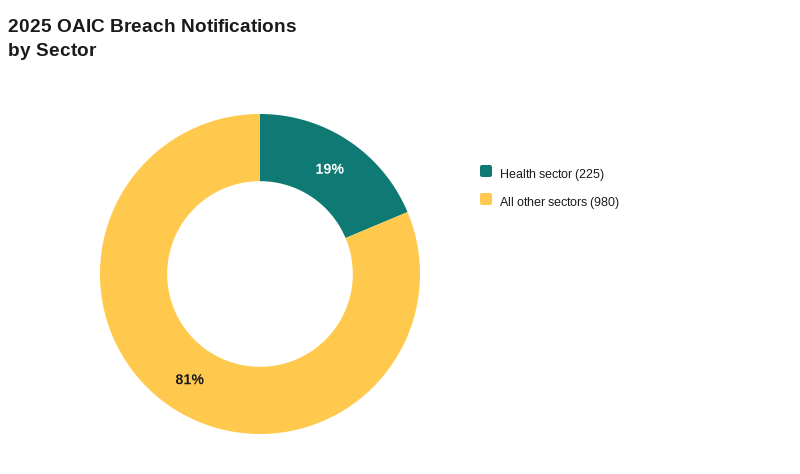
Google’s own policies ban sending health information through your tracking tags, and the OAIC’s 2025 figures show health providers are already the most breached sector in Australia. Here is exactly what your booking form and Google tag must never pass on.
 Vikas Thakur Founder, Perth 12 min read Fact checked
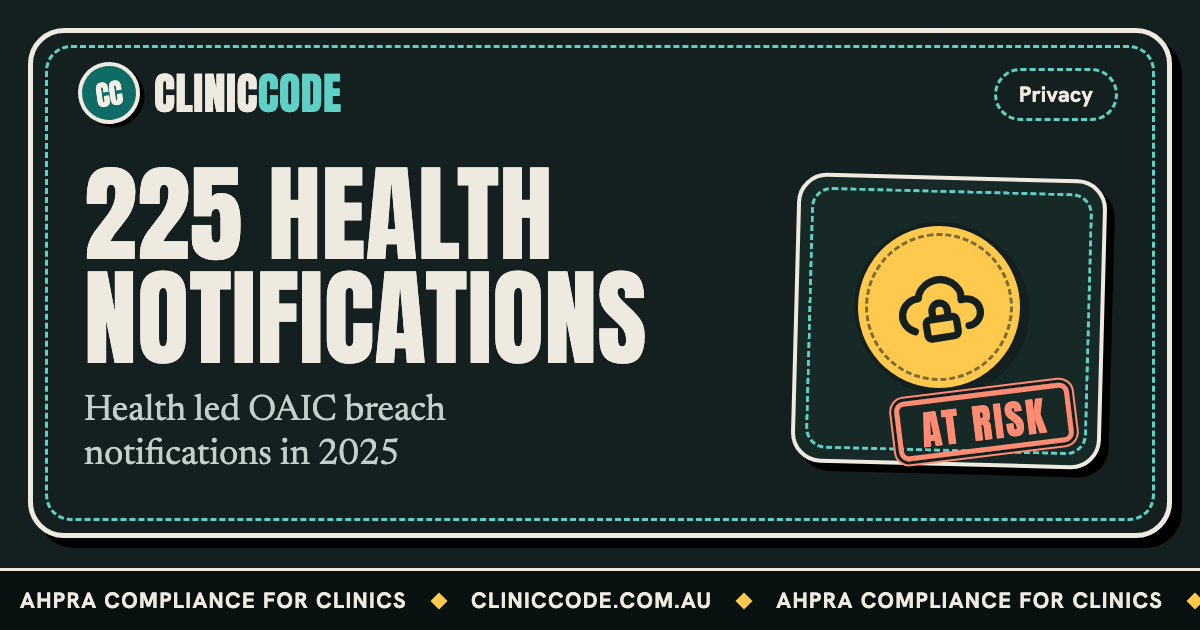
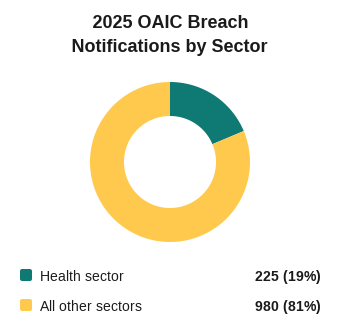
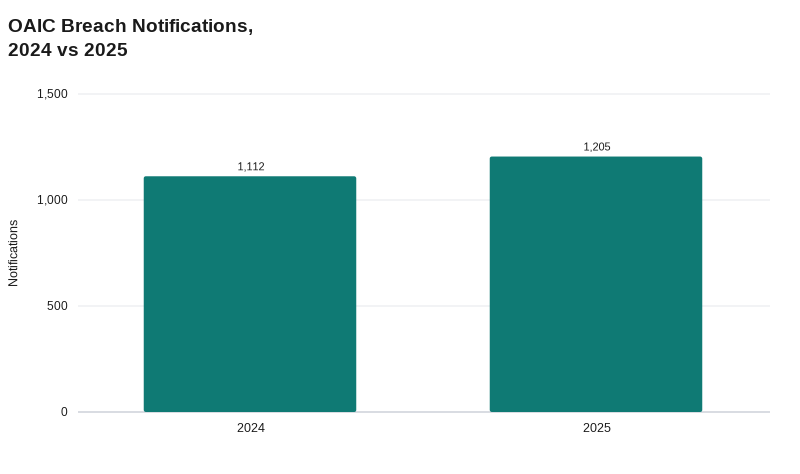
Google’s advertising and analytics policies ban sending information that reveals a health condition through your tracking tags, and enforcement sits with the site owner, not with Google’s systems. As at 15 August 2026, the Office of the Australian Information Commissioner’s most recent annual figures show health service providers were the single most breached sector in the country, with 225 of 1,205 notified breaches in 2025. If your booking form, Google Tag Manager container, or Meta pixel passes a procedure name, a diagnosis, or a patient’s email in a way Google or Meta can read, you are one misconfigured event away from being in that data.
Key takeaways
- Google’s Customer Match policy bans using data to build or infer “sensitive interest categories,” and Health is named explicitly on that list, per Google’s Personalised Advertising Policies.
- Google Analytics’ PII policy prohibits sending names, emails, phone numbers, government ID numbers, and device identifiers that cannot be reset through any GA4 event, page URL, or custom dimension.
- The Privacy Act 1988 (Cth) covers your clinic regardless of turnover if you provide a health service and hold health information. The general small-business exemption never applied to you.
- Health service providers were the most breached sector in Australia in 2025, with 225 of 1,205 total notifications to the OAIC, a 19% share, according to the OAIC’s July 2026 release.
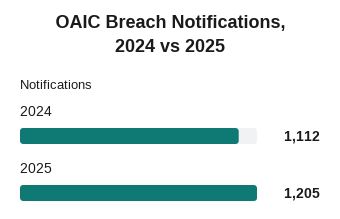
- Total notifications rose from 1,112 in 2024 to 1,205 in 2025, an 8% year-on-year increase.
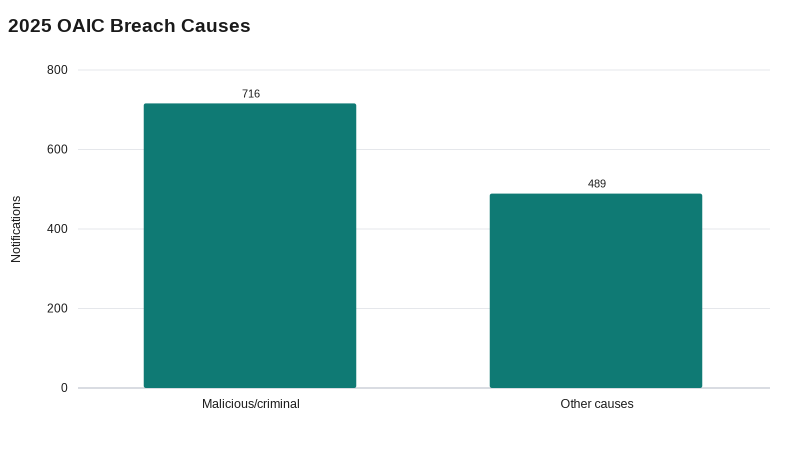
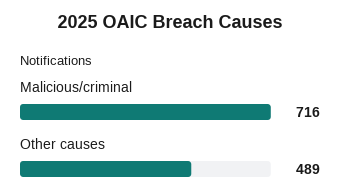
- 716 of the 2025 notifications, 59%, were attributed to malicious or criminal activity rather than accident.
- Google’s healthcare and medicines advertising policy requires certification for many treatment categories and treats unauthorised pharmacy advertising as an “egregious violation,” per Google Ads Help.
- No public OAIC determination or Google Ads enforcement action against an Australian clinic has named a tracking pixel as the disclosure mechanism as at this review date. That absence is not the same as safety.
What Google’s own policies actually say
Two separate Google policies bite here, and clinics usually only know about one of them.
The first is the PII policy that sits under Google Analytics. It defines personally identifiable information as, in Google’s own words, information that “includes, but is not limited to, information such as email addresses, personal mobile numbers, and social security numbers,” and it extends the same prohibition to device identifiers that cannot be reset and to fine-grained location data under one square mile or expressed as latitude and longitude, according to Google’s guidance on avoiding PII in Analytics. That policy is about identity, not diagnosis. A hashed patient ID can still trip it if the hash is reversible or paired with other identifying event data.
The second is the personalised advertising policy that sits under Google Ads. It names a fixed list of “sensitive interest categories” that advertisers cannot use to build advertiser-curated audiences or remarketing lists, and Health appears on that list alongside categories such as sexual orientation, race and ethnicity, and political affiliation, per Google’s Personalised Advertising Policies. The related Customer Match policy goes further: advertisers “can’t use data from your Customer Match campaigns to identify sensitive interest categories related to your customers,” according to Google’s Customer Match policy. That is a data-content rule, not an identity rule. It applies even if the email address itself is hashed correctly, because the thing being banned is the inference, not just the identifier.
Sitting behind both of these is the Privacy Act 1988 (Cth), which treats health information as “sensitive information” under the Act, a category that already carries a stricter collection and disclosure standard than ordinary personal information, per the Federal Register of Legislation. Health service providers are covered by the Act regardless of annual turnover. The general small-business exemption that applies to some other Australian businesses under $3 million in turnover has never applied to a clinic or dental practice that holds health information, and that has nothing to do with the currently unlegislated proposal to remove the exemption more broadly. Keep the two issues separate: your clinic’s coverage under the Act is settled and already in force, the wider exemption debate is not.
Takeaway: Google bans two different things (identity leakage and health-category inference), and the Privacy Act already covers your clinic regardless of size, so there is no size threshold that gets you out of any of this.
What this means for your booking form and tracking setup
Reading a policy is one thing. Finding where your site actually breaks it is another. Here is where health data usually leaks into a Google tag without anyone intending it.
Page URLs. If your booking confirmation page is /thank-you?treatment=anti-wrinkle-forehead&patient=jane, every analytics and ads tag firing on that page reads the full query string by default. The treatment name and the patient reference both cross into Google’s systems the moment the page loads, before you’ve written a single line of tracking code.
dataLayer events. A common Google Tag Manager pattern pushes a purchase or lead event with a content_name or item_name field set to the exact procedure booked, for example item_name: "Lip Filler Consultation". That string travels straight into GA4 and, if you have Google Ads conversion linking enabled, into Ads too. It is a textbook sensitive-category signal.
Enhanced Conversions and Customer Match. If your booking platform’s webhook passes a patient’s email to Google for enhanced conversions, and that webhook is scoped per-treatment-page rather than site-wide, you have effectively told Google which email addresses correspond to which procedures. Hashing the email does not fix this. The prohibited signal is the association, not the plaintext.
Form autofill and hidden fields. Some booking widgets pre-fill a hidden form field with the referring service name for internal routing. If that field’s value ever gets read into a GTM variable and pushed as an event parameter, the same problem repeats.
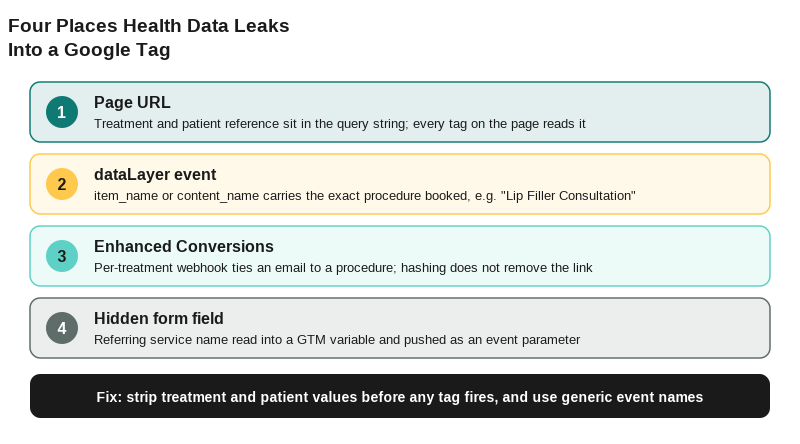
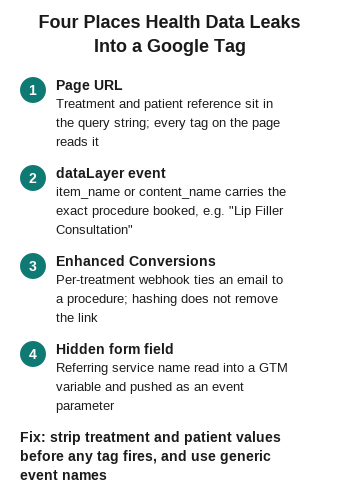
The fix is structural, not cosmetic. Strip treatment, diagnosis, and patient-identifying values out of URLs, dataLayer pushes, and conversion payloads before they reach any Google or Meta tag, and use generic event names (“Booking Confirmed”) instead of specific ones (“Lip Filler Booking Confirmed”) for anything that fires a pixel.
| Data type | Safe to send to Google Ads/GA4? | Where it usually leaks |
|---|---|---|
| Patient email or phone (plaintext) | No, PII policy violation | Enhanced conversions webhook, form autofill |
| Patient email (hashed, treatment-linked) | No, sensitive category inference | Per-treatment-page conversion tag |
| Procedure or treatment name | No, if paired with any identifier | URL query string, dataLayer item_name |
| Generic event (“Booking Confirmed”) | Yes | Standard GTM event, no leak |
| Anonymous page view, no patient reference | Yes | Standard GA4 pageview |
| Aggregate conversion count (no identity) | Yes | Standard Google Ads conversion tracking |
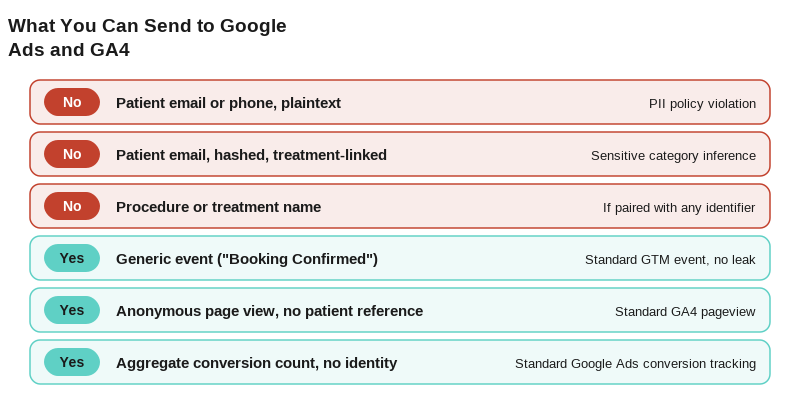
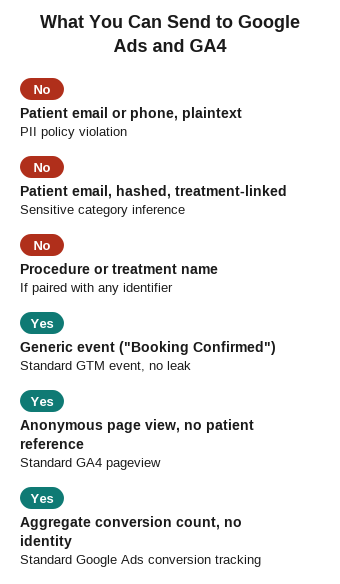
Takeaway: The leak is almost never the tracking code itself. It’s the URL, the event name, or the webhook payload feeding that code a value it should never have received.
Two worked examples
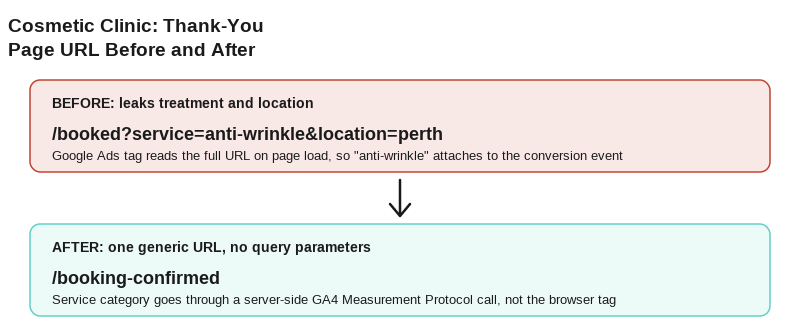
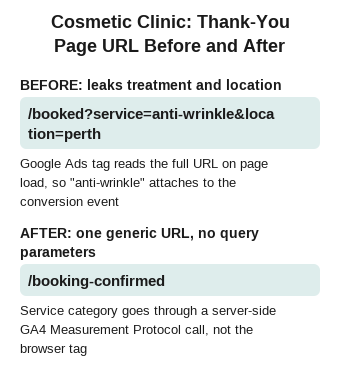
Cosmetic clinic. A Perth injectables clinic runs Google Ads conversion tracking off a “Thank You” page at /booked?service=anti-wrinkle&location=perth. The Google Ads tag reads the full URL as part of its standard page-load behaviour, so “anti-wrinkle” (a category Google’s Ads Help names in its healthcare and medicines policy documentation) is now attached to that visitor’s conversion event. The fix: redirect all bookings to a single generic /booking-confirmed URL with no query parameters, and pass the service category (if needed for reporting) through a server-side GA4 Measurement Protocol call that never touches the browser-side tag Google’s ad network reads from.
Cosmetic dentistry. A dental practice uses a booking widget that fires a GTM event generate_lead with form_type: "Veneers Consultation" on submission. That event is wired to a Google Ads conversion action, so every veneers enquiry becomes a labelled conversion tied to a specific browser and, if the visitor is signed into a Google account, a specific identity signal Google can associate with dental cosmetic interest. The fix: rename the event to a generic generate_lead with no form_type value passed to Ads, and if procedure-level reporting is genuinely needed, keep it inside the practice’s own booking software (Dentally, Core Practice, Praktika) rather than inside a third-party ad tag.
What to check on your own site
- Open your booking confirmation and thank-you pages and read the full URL. If it contains a treatment name, a form ID with a patient reference, or anything more specific than a generic slug, that is a leak point.
- Open Google Tag Manager’s preview mode, complete a real (test) booking, and read every dataLayer push. Look for
item_name,content_name,form_type, or any custom variable carrying a procedure or diagnosis string. - Check your Google Ads account for Enhanced Conversions or Customer Match uploads. Confirm the upload is scoped site-wide, not per-treatment-page, and that no field carries a procedure or condition name alongside the hashed identifier.
- Check whether your booking platform’s webhook to Google or Meta passes any field beyond a generic “lead” or “booking” event type.
- Search your site’s page templates for query-string parameters that Google Ads or GA4 tags load on. If a URL parameter names a treatment, redirect to a clean URL before the tag fires.
- Confirm your privacy policy discloses any third-party advertising or analytics tags in use, matching what your OAIC-facing Australian Privacy Principles obligations require for health information disclosure.
Takeaway: Most of this checklist takes fifteen minutes in GTM’s preview mode. The hard part is remembering to check it again every time a booking widget update changes what the confirmation page passes.
Enforcement anchor
No public OAIC determination, and no Google Ads enforcement action against an Australian clinic, has named a tracking pixel or Google tag as the specific disclosure mechanism as at this review date. That gap should not read as reassurance. The closest confirmed evidence of teeth is the OAIC’s own 2025 figures: health service providers were the most commonly breached sector, at 225 of 1,205 total notifications, and 716 of all 2025 notifications were attributed to malicious or criminal activity rather than accident, per the OAIC’s July 2026 release. An unauthorised disclosure of health information to a third-party advertising platform fits squarely within the Notifiable Data Breaches scheme’s definition of an eligible breach if it is likely to cause serious harm, according to the OAIC’s scheme guidance. The regulator says health information disclosed without authorisation can trigger a mandatory notification; whether a specific tag configuration on your site meets that bar is a question for your medical defence organisation or your lawyer.
Where this gets hard
Fixing the URL and the dataLayer event solves the leak you can see. It does not solve the leak you can’t. If your booking platform vendor’s own server-side integration sends Google a webhook you never configured, or if a third-party chat widget on your site loads its own Google Ads pixel with its own event naming, the fix above never touches it. A build-level audit catches your own tag configuration. It cannot audit a vendor’s server-side integration without that vendor’s cooperation, and most practice management platforms do not publish exactly what their Google integrations send. Ask your booking platform vendor directly what data their Google or Meta integration transmits, in writing, before assuming your own GTM cleanup is the whole fix.
Where this rule stands right now
Google’s PII and personalised advertising policies are private contractual terms, currently in force with no scheduled expiry or review date, and Google can change them without a regulatory consultation period. Australia’s Privacy Act 1988 obligation covering health information as sensitive information is already in force nationally and has been since well before this review date. Neither of these turns on the unresolved, unlegislated debate over removing the general small-business exemption for other industries. This status is current as at 15 August 2026.
Frequently Asked Questions
Can I send a patient’s email address to Google Ads for remarketing?
Not as plain text, and not if it reveals a health condition. Google’s Customer Match policy requires hashed identifiers and bans using data that lets Google infer someone belongs to a sensitive category such as health, so a booking-confirmation email for a specific procedure should never feed a remarketing list directly.
Does Google Analytics 4 block health data automatically?
No. GA4 has no filter that detects health information on its own. Google’s policy places the responsibility on the site owner to keep personally identifiable and sensitive data out of event parameters, page URLs, and custom dimensions before it ever reaches Google’s servers.
Does the Privacy Act’s small business exemption cover my clinic?
No, and this has nothing to do with the unresolved debate over removing that exemption for other businesses. Organisations that provide a health service and hold health information are covered by the Privacy Act 1988 regardless of annual turnover, so this rule already applies to your clinic today.
Need a hand with your website?
If you want a second pair of eyes on how this applies to your own site, request a callback and we will talk it through.
Sources and References
- Google Ads Help, Healthcare and medicines policy, date checked 15 August 2026.
- Google Ads Help, Personalised Advertising Policies, sensitive interest categories, date checked 15 August 2026.
- Google Ads Help, Customer Match policy, date checked 15 August 2026.
- Google Analytics Help, Best practices to avoid sending Personally Identifiable Information, date checked 15 August 2026.
- OAIC, Data breach notifications increase to all-time high in 2025, published 6 July 2026, date checked 15 August 2026.
- OAIC, Notifiable Data Breaches scheme, date checked 15 August 2026.
- Federal Register of Legislation, Privacy Act 1988 (Cth), date checked 15 August 2026.
Last reviewed: 15 August 2026.
If your booking platform vendor cannot tell you in writing what their Google or Meta integration sends, that is worth fixing before your next ad spend cycle. Book a call with ClinicCode and we will trace every tag on your site back to what it actually transmits.
Vikas Thakur
Founder, Perth. 16 years of experience from working at TPG, iiNet and Monadelphous, now helping Australian clinics keep their websites, ads and online presence AHPRA compliant.