Location Page Templates: Avoid the Doorway-Page Flag
Google’s spam policies name doorway pages and scaled content abuse as ranking risks, and a location page template built for two to twenty clinics or practices can trip both if pages differ only by suburb name. Here is the field-level template that keeps each page useful enough to rank on its own.
 Vikas Thakur Founder, Perth 12 min read Fact checked
Key takeaways
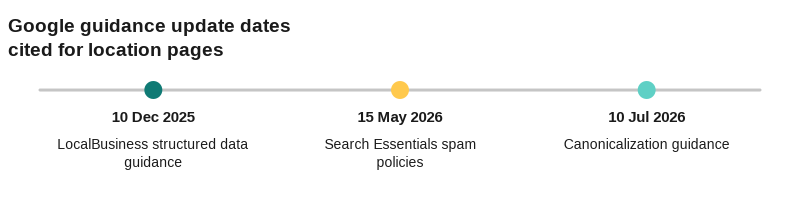
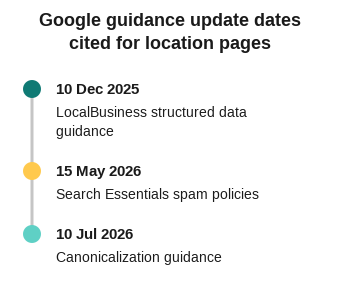
- Google’s Search Essentials spam policies (page last updated 15 May 2026) define doorway abuse as pages built to “lead users to intermediate pages that are not as useful as the final destination”
- The same policy set separately names scaled content abuse: “many pages… generated for the primary purpose of manipulating search rankings and not helping users”
- Google’s own doorway-abuse example names “multiple domain variations or pages targeted at specific regions or cities that funnel users to one page” as a violation pattern, which is close to how a badly built clinic-group location template behaves
- Google’s LocalBusiness structured data guidance (updated 10 December 2025) recommends the department property for marking up multiple locations that sit under one parent business entity
- Canonicalization guidance (updated 10 July 2026) states a rel=canonical tag is “a hint, not a rule,” which is why self-canonicalising each location page is the safer default
- Google’s own field guidance for LocalBusiness geo coordinates asks for a minimum of five decimal places
- No public Google manual action register names a specific Australian cosmetic clinic or dental group over a doorway-page or scaled content penalty; the mechanism is algorithmic and manual-action based, not a published infringement notice the way a regulator issues one
A location page template that only swaps the suburb name is a doorway page by Google’s own definition, and Google’s Search Essentials spam policies say so in writing as of 15 May 2026. If you run a cosmetic clinic group or a cosmetic dental practice with two to twenty sites, the template you build for Cottesloe and copy for Mandurah either earns each page its own ranking or quietly tells Google it is one page dressed up twenty times. This post walks through what the policy says, what fields your template needs to avoid the flag, and how to mark up multiple locations under one business entity with structured data that actually helps.
What Google’s Policy Says About Templated Location Pages
Google groups the risk into two named policies inside its Search Essentials spam policies, last updated 15 May 2026.
The first is doorway abuse. Google’s own wording: “Doorway abuse is when sites or pages are created to rank for specific, similar search queries. They lead users to intermediate pages that are not as useful as the final destination.” Google’s listed examples include multiple domain variations or pages targeted at specific regions or cities that funnel users to one page. That example is uncomfortably close to a location page built from a template with no genuinely local content: a suburb-name swap in the H1, an identical service description, and a single shared booking link.
The second is scaled content abuse, defined separately: “Scaled content abuse is when many pages are generated for the primary purpose of manipulating search rankings and not helping users.” Google’s examples for this one include combining or lightly rewriting content from other pages without adding real value, which covers a location-page generator that mail-merges an address block into an otherwise fixed paragraph.
Neither policy bans templates. A template is how every legitimate multi-location business builds twenty consistent pages without twenty separate design decisions. What the policy targets is a template with no location-specific substance behind the shared shell.
Takeaway: The rule is not “don’t template,” it is “don’t let the template be the entire page.”
What That Means for Your Build
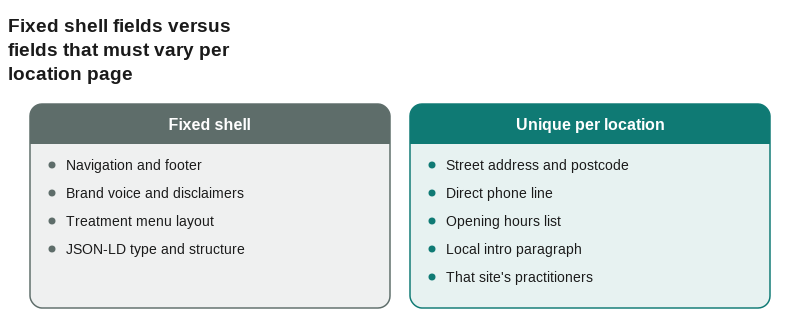
A location page template needs two kinds of fields: shell fields that stay identical across every location, and content fields that a copywriter or practice manager fills in per site. Treat the second group as mandatory, not optional.
Fields that must vary per location:
{{location_name}}and{{suburb}}in the page title, H1 and meta description, not just in a breadcrumb{{street_address}},{{suburb}},{{state}},{{postcode}}as separate fields, not one free-text address blob, so they map cleanly to theaddressobject in structured data{{geo_lat}}and{{geo_lng}}, each to a minimum of five decimal places, per Google’s own field guidance{{phone}}, ideally a direct line for that site rather than one shared reception number{{opening_hours}}as a structured list, not prose, so it maps toopeningHoursSpecification- A genuinely local intro paragraph naming the suburb, nearby landmarks, parking or public transport, and what makes that specific site different (a practitioner, a piece of equipment, a longer trading day)
{{practitioner_names}}for the staff actually rostered at that site, not a group-wide list pasted onto every page{{local_testimonials}}sourced from patients of that specific location- A self-referencing
rel="canonical"tag pointing at that page’s own URL
Fields that stay fixed across the template:
- Global navigation, footer, brand voice and legal disclaimers
- The base treatment menu structure, even where per-site pricing or stock varies
- The JSON-LD
@type(MedicalBusiness,Dentistor the most specific LocalBusiness subtype that fits) and the schema field structure itself
For structured data specifically, Google’s LocalBusiness guidance recommends the department property when several locations sit under one parent brand: mark up each location as its own LocalBusiness entity, formatted as brand name plus location name (Google’s own example is “gMart Pharmacy”), each with its own address, geo coordinates and opening hours block. Do not collapse four clinics into one JSON-LD block with an array of addresses; give each page its own complete block.
Takeaway: If a field only appears once across your whole template, it belongs in the fixed shell. If it changes per site, it needs its own named field, not a find-and-replace.
The Location Page Template: What Varies, What’s Shared
| Element | Shared across all locations | Unique per location |
|---|---|---|
| Brand name and logo | Yes | No |
| Street address, suburb, postcode | No | Yes |
| Phone number | No, unless genuinely one shared line | Yes where a direct line exists |
| Opening hours | No | Yes |
| Practitioner names on the page | No | Yes, that site’s roster only |
| Treatment menu structure | Yes, the layout | Partially, pricing and stock can vary |
| Local testimonials | No | Yes, sourced from that site’s patients |
| Parking and access directions | No | Yes |
| Page title, H1, meta description | No | Yes |
| JSON-LD LocalBusiness block | Structure only | Yes, one full block per page |
| rel=canonical target | No | Yes, self-referencing |
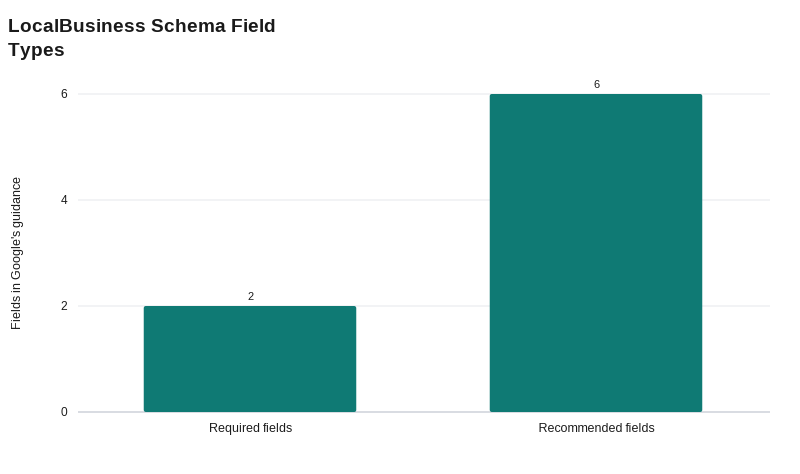
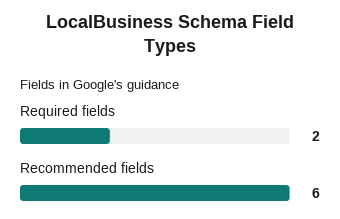
Google’s own LocalBusiness documentation lists two required fields, name and address, and at least six recommended fields relevant to a clinic or dental location page: telephone, url, geo, openingHoursSpecification, priceRange and department. Required gets you indexed. Recommended is what gets you a richer result and, more importantly, forces you to hold the per-location data your template actually needs.
Two Worked Examples
Cosmetic clinic. A Perth-based cosmetic injectables group runs four clinics: Cottesloe, Mandurah, Joondalup and the CBD. Its original template shared one intro paragraph across all four pages with only the suburb name and address swapped, one shared JSON-LD block listing all four addresses as an array, and a single canonical tag on every page pointing at the CBD location. Rebuilding the template meant four separate JSON-LD LocalBusiness blocks, one per page, each with its own geo coordinates to five decimal places and its own opening hours; four self-referencing canonical tags; and four intro paragraphs written by the practice manager, each naming the actual practitioner rostered at that site and the nearest free parking. The shell (navigation, footer, treatment menu layout) stayed identical. Only the fields the template was supposed to vary changed.
Cosmetic dental practice. An eight-practice dental group across Perth’s northern and southern suburbs had the opposite problem: unique addresses and phone numbers per page, but an identical forty-word paragraph under every H1 describing comprehensive family dentistry with no practice-specific detail. That paragraph, repeated eight times with only the practice name changed, is closer to the scaled content abuse example than the doorway example: content combined and lightly varied without adding value for the reader landing on any one of the eight pages. The fix was not new fields, it was filling the existing ones: eight different paragraphs written from what each practice actually offers, its specific equipment, and its longest-serving dentist.
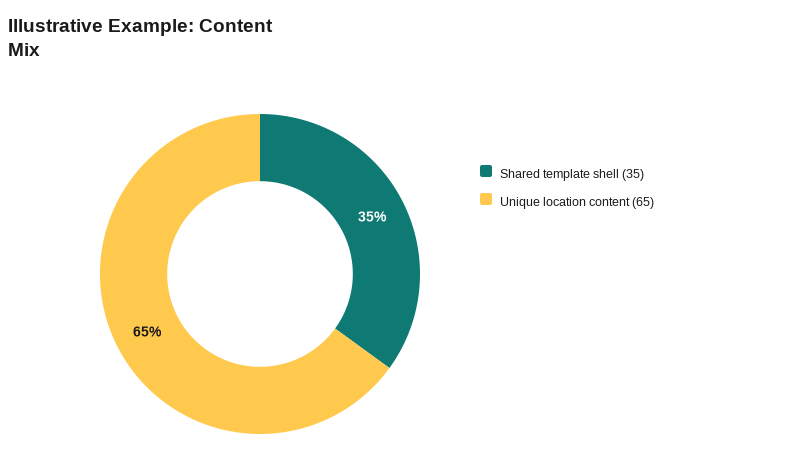
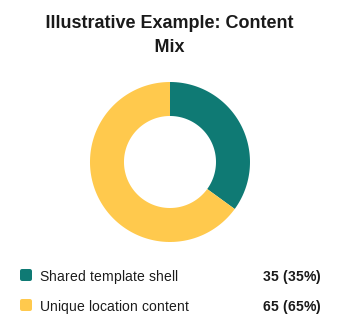
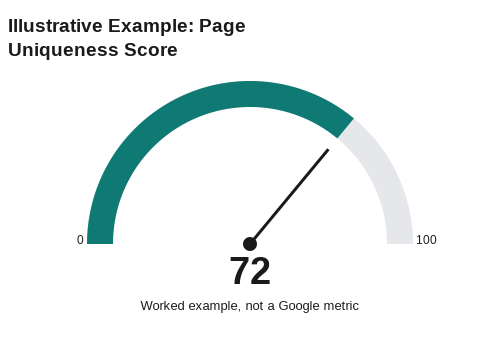
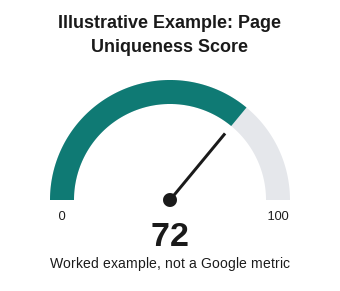
The split above is an illustrative example from the dental group’s rebuilt page, not a Google-published benchmark. Google does not publish a required ratio of unique-to-shared content. The practical test is simpler: read two of your own location pages back to back and see if you can tell which suburb you are looking at without checking the address bar.
Takeaway: The shell can be identical. The paragraph a reader actually reads on landing cannot be.
What to Check on Your Own Site
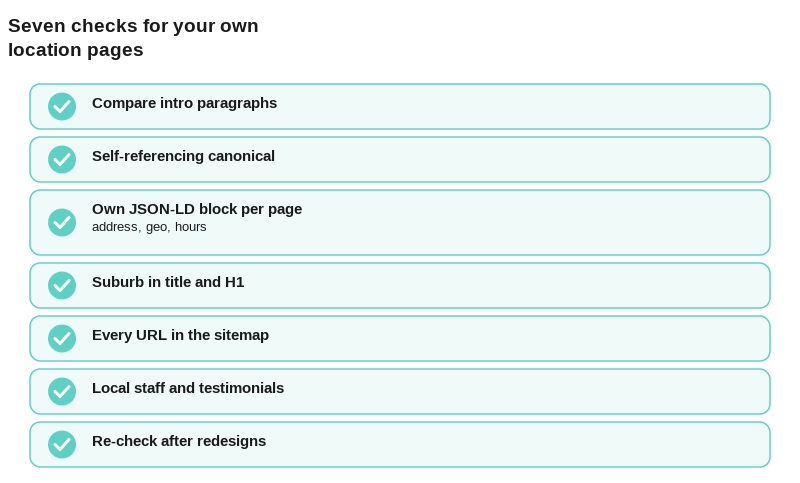
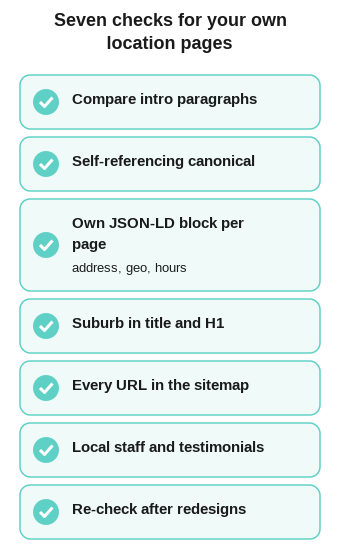
- Open two of your own location pages side by side and compare the intro paragraph. If only the suburb name differs, that paragraph needs rewriting.
- View source on each location page and confirm the
rel="canonical"tag points at that page’s own URL, not a head-office or “all locations” page. - Check the JSON-LD block on each page. Confirm it has its own
address,geo(to five decimal places) andopeningHoursSpecification, not a shared block listing every site. - Confirm the page title and H1 name the suburb, not just a generic service name repeated across every location.
- Confirm your XML sitemap lists every location URL individually, not a single locations landing page.
- Confirm the practitioner names, testimonials and photos on each page belong to that site, not a group-wide roster pasted onto every page.
- Re-check after any redesign. A new template rollout is the most common way a site accidentally reintroduces a shared canonical or a shared JSON-LD block across every location.
Takeaway: The checklist takes twenty minutes to run across a four-location site and closes off the two most common causes of a doorway or scaled content flag before Google ever has to notice them.
The Enforcement Anchor
Google does not run a public register of manual actions the way AHPRA publishes notification outcomes or TGA publishes infringement notices. A site owner who receives a manual action sees it privately in Search Console, and Google does not publish a searchable list naming which sites were actioned and why. We could not find a published, verifiable case naming a specific Australian cosmetic clinic or cosmetic dental group over a doorway-page or scaled content penalty, and we are not going to invent one to make this section punchier. The honest anchor here is the policy text itself: Google states plainly that doorway abuse and scaled content abuse are enforcement categories it actively targets, and the mechanism, whether an algorithmic ranking demotion or a manual action, applies regardless of whether any individual case is ever made public.
Where This Gets Hard
Google’s own canonicalization guidance says a rel=canonical tag is a hint, not a rule. Google can select a different canonical than the one you set, based on signals it collects at crawl time, which means a technically correct template with self-referencing canonicals is not an absolute guarantee against consolidation. It reduces the risk; it does not remove it.
There is also no published threshold for how much unique content a location page needs before it stops looking templated. Google’s policy describes the failure pattern in qualitative terms, not a word count or a percentage. Two clinics with near-identical rebuilt templates could get different outcomes depending on other signals entirely, backlinks, user engagement, site-wide quality, that this post has no visibility into for your specific site.
The regulator here is not a regulator at all, it is a private company’s ranking system, so there is no appeals process in the way there is for a National Law notification. The build consequence is to remove every identifiable doorway and scaled-content pattern from the template and hold genuinely local content per page; whether a specific existing page has already been affected by an algorithmic demotion is a question a search console audit can help answer, not this post.
Status
In force, as Google policy, not law. The Search Essentials spam policies page was last updated 15 May 2026, the LocalBusiness structured data guidance was last updated 10 December 2025, and the canonicalization guidance was last updated 10 July 2026. All three are live, currently enforced Google documentation, not proposals. None of this is a statutory obligation; it is a private platform’s ranking policy, and Google can update any of these pages without notice.
Get Your Location Template Fixed
Book a call and ClinicCode will rebuild your location page template against this list, so your pages read as local rather than templated before Google’s systems notice.
Frequently Asked Questions
Can I use one template for all my clinic or practice location pages?
Yes, but the template needs enough unique fields per location (address, staff, treatment menu, local testimonials, hours) that a reader can tell the pages apart without checking the address bar. A template that only swaps the suburb name in an otherwise identical block of text is what Google’s doorway-page and scaled content abuse policies target.
Should every location page have its own canonical tag?
Yes. Each location page should self-canonicalise to its own URL, not point to a head-office or “all locations” page. Google’s own canonicalization guidance treats a rel=canonical tag as a hint, not a rule, so a wrongly pointed canonical risks Google dropping the page from the index entirely rather than just deprioritising it.
Does structured data alone fix a thin location page?
No. A correct LocalBusiness JSON-LD block with an address, geo coordinates and opening hours helps Google understand the page, but it does not substitute for unique visible content. Google’s spam policies apply to the page users see, not just the markup a crawler reads.
Need a hand with your website?
If you want a second pair of eyes on how this applies to your own site, request a callback and we will talk it through.
Sources
- Google Search Central - Search Essentials spam policies, doorway abuse and scaled content abuse definitions. Checked 15 August 2026.
- Google Search Central - LocalBusiness structured data guidance, department property and field requirements. Checked 15 August 2026.
- Google Search Central - Canonicalization guidance. Checked 15 August 2026.
Last reviewed: 15 August 2026.
Vikas Thakur
Founder, Perth. 16 years of experience from working at TPG, iiNet and Monadelphous, now helping Australian clinics keep their websites, ads and online presence AHPRA compliant.